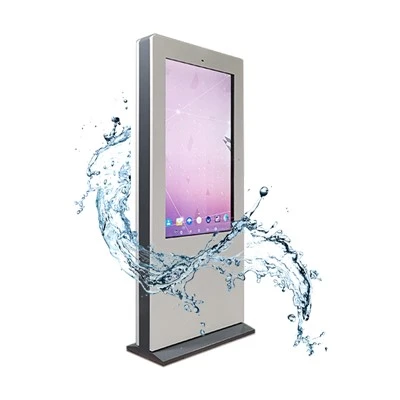


Vandalism is a significant concern when deploying touchscreen monitor kiosks in public or semi - public spaces. As a Touchscreen Monitor Kiosk supplier, we understand the importance of safeguarding these valuable assets. In this blog, we'll explore comprehensive strategies to secure touchscreen monitor kiosks from vandalism, ensuring they remain functional and cost - effective in the long run.
Understanding the Threats
Before we delve into the solutions, it's crucial to understand the types of vandalism that touchscreen monitor kiosks may face. Physical damage is perhaps the most obvious threat. This can range from scratches on the touchscreen surface to more severe damage such as cracks or broken components. Vandals may use sharp objects like knives or keys to scratch the screen, or even hammers or other heavy objects to cause significant structural damage.
Another form of vandalism is liquid damage. Someone might pour a liquid like water, soda, or even paint on the kiosk. Liquids can seep into the internal components of the kiosk, causing short - circuits and permanent damage.
In addition to physical and liquid damage, there's also the risk of software - based vandalism. Malicious users may try to install unauthorized software, change system settings, or launch attacks that disrupt the normal operation of the kiosk.
Physical Security
One of the most effective ways to secure a touchscreen monitor kiosk is through proper physical design and installation.
Robust Enclosure
Invest in a high - quality, durable enclosure for the touchscreen monitor kiosk. The enclosure should be made of strong materials such as stainless steel or heavy - duty plastic. These materials are resistant to impact and can withstand a certain degree of physical abuse. For example, a stainless - steel enclosure can protect the internal components of the kiosk from being damaged by a hammer blow. Our Touchscreen Monitor Kiosk comes with a robust enclosure option that provides excellent physical protection.
Screen Protection
The touchscreen is the most vulnerable part of the kiosk. Consider using a tempered glass screen protector. Tempered glass is much stronger than regular glass and is designed to resist scratches and cracks. It can also handle a significant amount of force without breaking. Some screen protectors also have an anti - graffiti coating, which makes it easier to clean off any markings made by vandals.


Mounting and Placement
Proper mounting and placement of the kiosk can also enhance its security. Mount the kiosk securely to the floor or wall using heavy - duty brackets. This prevents the kiosk from being easily tipped over or removed. Avoid placing the kiosk in areas where it is easily accessible to potential vandals, such as isolated corners or areas with low visibility. Instead, place it in well - lit, high - traffic areas where there is more supervision.
Environmental Protection
To prevent liquid damage, the kiosk needs to be protected from environmental factors.
Sealed Design
Ensure that the touchscreen monitor kiosk has a sealed design. This means that all openings, such as ports and vents, are properly sealed to prevent liquids from entering. A well - sealed kiosk can withstand accidental spills and even light rain if it is installed outdoors. Our Interactive Screens for Business are designed with a sealed enclosure to protect against liquid ingress.
Waterproof Coatings
Apply a waterproof coating to the external surfaces of the kiosk. This additional layer of protection can repel liquids and reduce the risk of damage. Waterproof coatings are particularly useful for kiosks that are installed in areas where there is a high risk of liquid exposure, such as near water fountains or in outdoor locations.
Software and Access Control
Software security is just as important as physical security when it comes to protecting touchscreen monitor kiosks.
Restricted Access
Implement a strict access control system. Limit the number of people who have administrative access to the kiosk's software. Use strong passwords and multi - factor authentication to ensure that only authorized personnel can make changes to the system settings. This helps prevent unauthorized users from making malicious changes or installing unauthorized software.
Regular Updates
Keep the kiosk's operating system and applications up - to - date. Software vendors often release security patches to fix vulnerabilities that could be exploited by vandals. By regularly updating the software, you can ensure that the kiosk is protected against the latest threats.
Anti - Malware Protection
Install anti - malware software on the kiosk. This software can detect and remove any malicious software that may be installed on the system. It can also prevent malware from being downloaded in the first place. Make sure to configure the anti - malware software to run regular scans and updates.
Surveillance and Monitoring
Surveillance can act as a deterrent to potential vandals and also provide evidence in case of an incident.
CCTV Cameras
Install CCTV cameras in the vicinity of the touchscreen monitor kiosk. The presence of cameras can discourage vandals from attempting to damage the kiosk. In addition, if an incident does occur, the footage from the cameras can be used to identify the culprit and provide evidence to the authorities.
Remote Monitoring
Implement a remote monitoring system for the kiosk. This allows you to track the kiosk's status, performance, and any potential security breaches in real - time. You can receive alerts if there are any unusual activities, such as a sudden increase in power consumption or an unauthorized access attempt.
Maintenance and Training
Regular maintenance and proper training can also contribute to the security of touchscreen monitor kiosks.
Maintenance Schedule
Establish a regular maintenance schedule for the kiosk. This includes cleaning the screen, checking the enclosure for any signs of damage, and testing the software. Regular maintenance can help identify and address any potential security issues before they become major problems.
User Training
Train the users of the kiosk on how to use it properly. Provide clear instructions on what actions are allowed and what are not. This can reduce the risk of accidental damage caused by improper use and also discourage users from engaging in malicious behavior.
In Conclusion
Securing a touchscreen monitor kiosk from vandalism requires a multi - faceted approach that includes physical security, environmental protection, software and access control, surveillance, and maintenance. As a Touchscreen Monitor Kiosk supplier, we are committed to providing high - quality, secure kiosks that can withstand the rigors of public use.
If you're interested in purchasing touchscreen monitor kiosks for your business, whether it's for a museum with our Museum Kiosk Touch Screen, a corporate setting with our Interactive Wall Screen, or a table - based application with our Table Touch Screen Monitor, we invite you to contact us. We're ready to discuss your specific requirements and provide you with the best - suited solutions.
References
- "Security Best Practices for Public Kiosks", Journal of Information Security, 2020.
- "Physical Protection of Electronic Devices in Public Spaces", International Journal of Physical Security, 2019.
- "Software Security in Kiosk Systems", Proceedings of the Annual Software Security Conference, 2021.