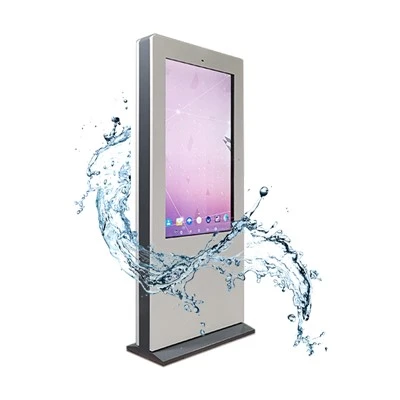


So, you've got your hands on a standing digital display and now you're thinking about sprucing it up with some additional accessories. Well, you're in the right place! As a standing digital display supplier, I've seen my fair share of setups, and I'm here to share some tips on how to mount those extra goodies like a pro.
First things first, let's talk about why you'd want to add accessories to your standing digital display. Accessories can enhance the functionality, look, and overall user experience of your display. Whether it's adding a camera for interactive features, a soundbar for better audio, or a protective cover for durability, the right accessories can take your display to the next level.
Assessing Your Display and Accessories
Before you start mounting anything, it's crucial to assess your standing digital display and the accessories you plan to add. Check the specifications of your display to see if it has any pre - drilled holes or mounting points. Some standing digital displays, like the ones we offer at Standing Digital Screen, come with built - in mounting options for easy accessory attachment.
Next, take a good look at your accessories. What type of mounting do they require? Do they need a flat surface, a specific type of bracket, or a certain amount of space? Make sure you understand the mounting requirements of each accessory before you proceed.
Tools You'll Need
To mount your accessories, you'll need a few basic tools. A drill is essential if you need to create new holes for mounting. Make sure you have the right drill bits for the material of your display and the accessory. A screwdriver set, both flat - head and Phillips - head, will also come in handy for tightening screws. A measuring tape is crucial for accurate placement, and a level will help you ensure that your accessories are mounted straight.
Mounting Different Types of Accessories
1. Camera
Adding a camera to your standing digital display can enable interactive features like facial recognition or gesture control. Most cameras come with a mounting bracket. If your display has a pre - drilled mounting point, it's as simple as aligning the bracket with the hole and tightening the screws. If not, you'll need to measure the position where you want to mount the camera, mark it on the display, and then drill pilot holes. Be very careful when drilling into your display to avoid any damage.
2. Soundbar
A soundbar can significantly improve the audio quality of your standing digital display. Many soundbars are designed to be wall - mounted, but you can also mount them on a standing display. Look for a soundbar with a compatible mounting bracket. You can mount it either below or above the display, depending on your preference and the available space. Make sure to use the proper screws and ensure that the soundbar is securely attached so it doesn't fall.
3. Protective Cover
A protective cover is a great accessory to keep your display safe from scratches, dust, and minor impacts. Most protective covers come with adhesive strips for easy mounting. Clean the surface of your display thoroughly before applying the cover to ensure a good adhesion. Start by aligning one edge of the cover with the edge of the display and slowly press it down, smoothing out any air bubbles as you go.
4. Canopy
Adding a canopy to your standing digital display can provide protection from overhead light and give it a more professional look. The Digital Signage With Canopy is a popular option. Canopies usually come with their own mounting hardware. You'll need to attach the mounting brackets to the canopy and then align them with the pre - drilled holes on the top of your display. Tighten the screws securely to make sure the canopy is stable.


5. Wall - Mounted Components
If you want to integrate your standing digital display with some wall - mounted components, like a Wall Mounted Advertising Screen, you'll need to carefully plan the layout. You may need to use additional brackets or adapters to connect the two. Measure the distance between the display and the wall - mounted component, and make sure the connections are properly aligned and secured.
Safety Precautions
Mounting accessories on your standing digital display can be a DIY project, but it's important to take safety precautions. Always disconnect the power supply before you start any mounting work to avoid the risk of electric shock. Wear safety glasses when drilling to protect your eyes from debris. If you're unsure about any step of the mounting process, it's better to consult a professional.
Testing Your Setup
Once you've mounted all your accessories, it's time to test your setup. Reconnect the power supply and turn on your display. Check if all the accessories are working properly. For example, test the camera's functionality, check the audio quality of the soundbar, and make sure the protective cover doesn't interfere with the display's visibility.
Troubleshooting
If you encounter any issues with your mounted accessories, don't panic. If a camera is not working correctly, check the connections and make sure the software is properly installed. If the soundbar has poor audio quality, check the volume settings and the audio cables. Loose mounts can be fixed by tightening the screws or re - aligning the brackets.
In conclusion, mounting additional accessories on a standing digital display can be a fun and rewarding project. It allows you to customize your display according to your specific needs. Whether you're using it for a business, like a Commercial LCD Screen in a store, or for personal use, the right accessories can make a big difference.
If you're interested in our standing digital displays or need more advice on mounting accessories, feel free to reach out to us for procurement discussions. We're always happy to help you create the perfect setup for your needs. You can also check out our other products like the Digital Signage Window Display for more options.
References
- General knowledge from years of experience in the standing digital display industry.
- Manufacturer's manuals of various standing digital displays and accessories.