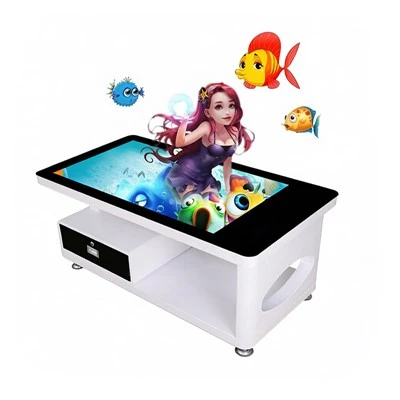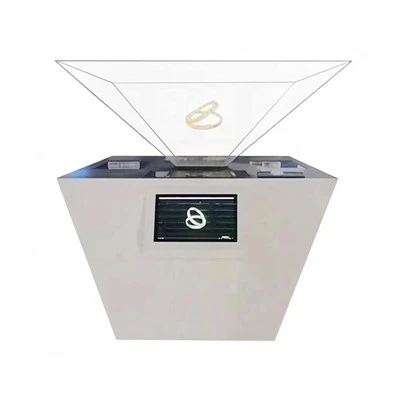


Hey there! As a supplier of Interactive Wall Screens, I often get asked about the software needed to make these cool devices work their magic. In this blog, I'm gonna break down the essential software components for an Interactive Wall Screen and give you a better idea of what you need.
Operating System
First things first, every Interactive Wall Screen needs a reliable operating system (OS). It's like the foundation of a house, providing the basic framework for all other software to run on. The two most popular choices in the market are Windows and Android.
Windows is known for its wide range of software compatibility and powerful performance. It's a great option if you plan to run complex applications or need to integrate with existing Windows - based systems in your workplace. With Windows, you can easily connect to the corporate network, use Microsoft Office applications, and access a plethora of industry - specific software. For example, in an educational setting, you can run educational software and digital learning platforms on a Windows - powered Interactive Wall Screen.
On the other hand, Android is more user - friendly and cost - effective. It has a simple interface that's easy to navigate, making it a hit in public spaces like malls and museums. Android also offers a vast library of apps on the Google Play Store, which can be used to customize the functionality of your Interactive Wall Screen. You can install interactive games, informational apps, and multimedia players to engage your audience.
Touchscreen Software
The touchscreen software is what makes the interaction on the wall screen possible. It translates the physical touch on the screen into digital commands that the system can understand. There are two main types of touchscreen software: resistive and capacitive.
Resistive touchscreen software is an older technology. It works by detecting the pressure applied to the screen. While it's relatively inexpensive, it has some limitations, such as lower touch sensitivity and durability issues. However, it can still be a good option for environments where cost is a major concern and the touch interaction is not too frequent.
Capacitive touchscreen software, on the other hand, is the more modern and popular choice. It detects the electrical charge of your finger to register a touch. Capacitive touchscreens offer higher sensitivity, multi - touch support, and better durability. This means you can perform gestures like pinching, zooming, and swiping smoothly, which is great for interactive applications. Our Large Interactive Touch Screen usually comes with high - quality capacitive touchscreen software for a seamless user experience.
Content Management System (CMS)
A Content Management System is crucial for an Interactive Wall Screen. It allows you to manage and update the content displayed on the screen easily. With a CMS, you don't need to be a tech wizard to change the images, videos, or text on the screen.
There are many CMS options available in the market, both free and paid. Some popular ones offer features like drag - and - drop editing, scheduling, and remote management. You can schedule different content to be displayed at different times of the day, which is useful for advertising or informational purposes. For example, in a retail store, you can show promotional offers during peak hours and product information during off - peak times.
Our Interactive Screen Wall can be integrated with a variety of CMS platforms, giving you the flexibility to choose the one that suits your needs best.
Interactive Application Software
To really make your Interactive Wall Screen stand out, you need interactive application software. This type of software creates engaging experiences for the users. There are different types of interactive applications you can use:
- Educational Applications: In schools and universities, educational apps can be used to make learning more fun and interactive. For example, a digital touch - based science experiment app can allow students to perform virtual experiments on the Digital Touch Screen Whiteboard.
- Wayfinding Applications: In large buildings like airports and hospitals, wayfinding apps are essential. They help people find their way around easily. Our Wayfinding Touch Screen comes with pre - installed wayfinding software or can be customized with third - party apps to provide accurate and user - friendly navigation.
- Entertainment Applications: In entertainment venues like theaters and amusement parks, interactive games and multimedia apps can enhance the visitor experience. You can create games that involve physical interaction with the screen, making it more immersive.
Security Software
Security is a major concern when it comes to any digital device, and Interactive Wall Screens are no exception. You need to protect your screen from malware, unauthorized access, and data breaches.
Antivirus software is a must - have. It can detect and remove viruses, worms, and other malicious software that could harm your system. Firewall software can also be installed to control the incoming and outgoing network traffic, preventing unauthorized access to your Interactive Wall Screen.
Moreover, if your screen stores sensitive data, you should consider encryption software to protect it. This ensures that even if the data is intercepted, it can't be read without the proper decryption key.
Integration Software
If you want to connect your Interactive Wall Screen with other devices or systems, integration software is necessary. For example, you might want to connect it to your company's CRM system to display customer - related information, or to a video conferencing system for remote meetings.


There are various integration solutions available, ranging from simple API - based integrations to more complex middleware. These solutions allow your Interactive Wall Screen to communicate and share data with other systems seamlessly.
Well, that's a wrap on the software required for an Interactive Wall Screen. As you can see, there are multiple components that work together to create a functional and engaging interactive experience. Whether you're looking to use it for education, wayfinding, entertainment, or business purposes, having the right software is key.
If you're interested in purchasing an Interactive Wall Screen or have any questions about the software requirements, feel free to reach out. We're here to help you find the perfect solution for your needs. Let's get started on creating an amazing interactive experience together!
References
- TechRadar. (2023). Best Operating Systems.
- Computerworld. (2023). Touchscreen Technology Explained.
- CMSWire. (2023). Top Content Management Systems.