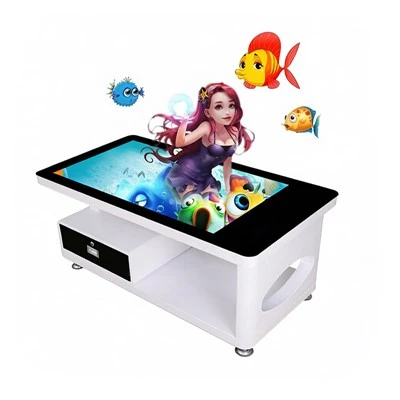


In the ever - evolving landscape of digital technology, Interactive Wall Screens have emerged as a revolutionary tool, find applications in a wide range of settings from corporate boardrooms and educational institutions to public spaces and entertainment venues. One of the most remarkable features of an Interactive Wall Screen is its ability to handle multi - touch gestures. As a prominent Interactive Wall Screen supplier, I am excited to delve into how these marvels of modern technology manage and interpret multiple touch inputs.
Fundamental Principles of Multi - Touch Detection
The foundation of multi - touch gesture handling in an Interactive Wall Screen lies in the touch detection technology employed. There are several methods, each with its own characteristics and advantages.
Capacitive Touch Technology
Capacitive touch screens are widely used in Interactive Wall Screens. They work based on the electrical properties of the human body. A capacitive screen is coated with a conductive material. When a user touches the screen, it disrupts the electrostatic field of the screen. The change in capacitance at the point of contact is detected by sensors placed around the edges of the screen. These sensors then calculate the exact coordinates of the touch.
For a multi - touch situation, each touch point causes a distinct change in capacitance. Advanced algorithms in the screen's control system analyze these changes simultaneously. By mapping the location and movement of each touch, the system can accurately track multiple fingers or objects touching the screen at once. Capacitive touch technology offers high sensitivity and excellent touch accuracy, making it ideal for gestures that require precise control.
Infrared Touch Technology
Infrared touch technology works by creating a grid of infrared light beams across the surface of the screen. When an object touches the screen, it blocks some of these infrared beams. Sensors located around the perimeter of the screen detect the interruption of the beams and calculate the position of the touch based on which beams are blocked.
With multi - touch, the system can detect multiple disruptions in the infrared grid. It then processes these signals to identify the location and movement of each touch. Infrared touch technology is known for its durability and ability to work with various touch objects, such as fingers, gloves, and styluses. It is also relatively resistant to scratches and surface contaminants.
Surface Acoustic Wave (SAW) Technology
SAW technology uses ultrasonic waves that travel across the surface of the screen. When a touch occurs, it absorbs some of the acoustic energy, causing a change in the wave pattern. Transducers on the edges of the screen detect these changes and determine the touch position.
For multi - touch, the system can distinguish between multiple points of energy absorption. By analyzing the complex wave patterns created by multiple touches, it can accurately track each touch point. SAW technology provides high image clarity as it does not require any additional layers on the screen surface.
Interpreting Multi - Touch Gestures
Once the touch points are detected, the Interactive Wall Screen needs to interpret the gestures made by the user. There are several common multi - touch gestures, and each has a specific application and interpretation method.
Tap and Double - Tap
A simple tap is one of the most basic multi - touch gestures. When a single finger briefly touches the screen, the system registers it as a tap. This is often used to select an item, such as an icon on a menu or a link on a webpage. A double - tap, which is two consecutive taps in quick succession, can be used to zoom in on an image or expand a section of text.
The screen's software analyzes the time interval between the touches. If the interval is within a predefined range, it recognizes the gesture as a double - tap. Algorithms are designed to eliminate false positives, such as accidental double - taps due to jitter or other factors.
Pinch and Stretch
The pinch and stretch gestures are used for zooming in and out. When two fingers move closer together (pinch), the screen interprets this as a zoom - out command. Conversely, when two fingers move apart (stretch), it is recognized as a zoom - in command.
To detect these gestures, the system continuously monitors the distance between the two touch points. If the distance decreases over time, it registers a pinch; if it increases, it registers a stretch. The rate of change in distance can also be used to control the speed of zooming.
Swipe
A swipe gesture involves moving one or more fingers across the screen in a specific direction. A single - finger swipe can be used to scroll through a page, while a multi - finger swipe can be used for more complex operations, such as switching between applications or views.
The screen's software analyzes the direction and speed of the touch points' movement. By comparing the initial and final positions of the touch points, it can determine the swipe direction. The speed of the swipe can be used to adjust the scrolling or switching speed.
Rotate
The rotate gesture is used to rotate an object on the screen, such as an image or a graphic. It is typically performed by placing two fingers on the screen and rotating them in a circular motion.
The system measures the angle between the two touch points and how it changes over time. Based on this information, it calculates the rotation direction and angle. This allows the user to rotate objects on the screen with a natural and intuitive motion.
Challenges and Solutions in Multi - Touch Gesture Handling
While Interactive Wall Screens are capable of handling multi - touch gestures, there are several challenges that need to be addressed to ensure a seamless user experience.
Signal Interference
In a real - world environment, there can be various sources of signal interference. For example, electromagnetic interference from nearby electronic devices can affect the accuracy of touch detection. To overcome this challenge, Interactive Wall Screens are equipped with advanced shielding and filtering technologies. These technologies help to reduce the impact of external interference and ensure reliable touch detection.
Gesture Recognition Accuracy
As multi - touch gestures become more complex, ensuring accurate gesture recognition becomes a challenge. For instance, distinguishing between a genuine gesture and an accidental touch can be difficult. To improve recognition accuracy, machine learning algorithms are often used. These algorithms can learn from a large number of touch samples and adapt to different user behaviors. They can also take into account factors such as the speed, pressure, and direction of the touch to make more accurate gesture classifications.
Scalability
As more users interact with the Interactive Wall Screen simultaneously, the system needs to handle an increasing number of touch points. This requires a scalable architecture and efficient processing algorithms. Modern Interactive Wall Screens are designed with high - performance processors and optimized software to ensure smooth operation even under heavy multi - touch loads.


Applications and Benefits of Multi - Touch Gestures in Interactive Wall Screens
The ability to handle multi - touch gestures has opened up a wide range of applications for Interactive Wall Screens.
Education
In educational settings, Interactive Wall Screens with multi - touch capabilities can transform the learning experience. Students can interact with digital content in a more collaborative and engaging way. For example, they can use pinch and stretch gestures to explore detailed maps, or rotate and zoom 3D models. To learn more about our touch - enabled educational solutions, visit Touch Screen Panel for Teaching.
Corporate
In corporate boardrooms, Interactive Wall Screens can enhance presentations and meetings. Multiple users can interact with the screen simultaneously, annotating documents, moving objects, and collaborating on projects in real - time. Our Interactive Screen Wall offers a seamless multi - touch experience for corporate applications.
Public Spaces and Retail
In public spaces and retail stores, Interactive Wall Screens can be used for wayfinding, product showcases, and interactive advertising. Shoppers can use multi - touch gestures to browse product catalogs, view detailed product information, and even make purchases directly from the screen. Check out our Commercial Touch Screen Display for these types of applications.
Entertainment
In theaters and entertainment venues, Interactive Wall Screens can provide immersive experiences. Audiences can interact with the content on the screen during shows or use multi - touch games for entertainment. Our Digital Touch Screen Whiteboard can also be customized for entertainment - related applications.
Information Kiosks
Touchscreen kiosks are widely used in airports, museums, and other public places to provide information. Our Touchscreen Monitor Kiosk with multi - touch capabilities allows users to easily access and navigate through information using natural gestures.
Conclusion
The ability of an Interactive Wall Screen to handle multi - touch gestures is a game - changer in the world of digital interaction. By leveraging advanced touch detection technologies and sophisticated gesture recognition algorithms, these screens offer a seamless and intuitive user experience. As a leading Interactive Wall Screen supplier, we are committed to continuously improving our products to meet the evolving needs of our customers.
If you are interested in incorporating Interactive Wall Screens with multi - touch capabilities into your projects, whether it's for education, corporate, retail, or entertainment purposes, we invite you to contact us for a procurement discussion. We are ready to provide you with the best solutions and support.
References
- Johnson, M. (2022). "Advances in Multi - Touch Technology for Interactive Displays". Journal of Digital Interaction, 15(2), 34 - 48.
- Smith, A. (2023). "Touch Screen Technology: Principles and Applications". Technology Review Press.
- Brown, L. (2021). "Gesture Recognition in Interactive Systems: Challenges and Solutions". International Journal of Human - Computer Interaction, 27(3), 221 - 235.