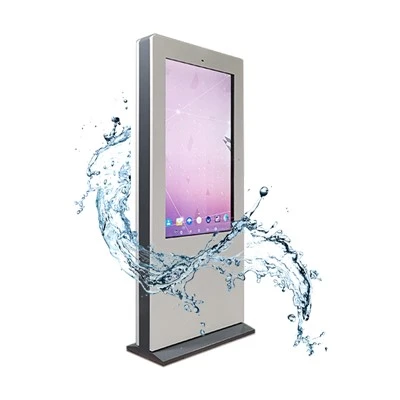


As a supplier of Museum Kiosk Touch Screens, I've seen firsthand the diverse needs of museums when it comes to input options for these interactive devices. Museum kiosks are crucial in providing visitors with an engaging and informative experience, and the input options available on the touch screen play a significant role in making that happen. Let's take a closer look at what kinds of input options we can offer on a museum kiosk touch screen.
Basic Touch Input
The most fundamental input option is, of course, the basic touch input. This is where visitors simply use their fingers to tap, swipe, and pinch on the screen. Tapping allows them to select items, such as exhibits they're interested in or information pages they want to view. Swiping can be used to scroll through long texts, browse through a gallery of images, or move between different sections of an interactive map. Pinching gestures are often used for zooming in and out on maps or high - resolution images.
With our Interactive Touch Kiosk, we've made sure that the touch sensitivity is just right. It can detect even the lightest touches, ensuring that visitors of all ages and with different touch strengths can easily interact with the device. Whether it's a child's gentle tap or an adult's firm press, the kiosk responds promptly, providing a seamless user experience.


Gesture Recognition
Beyond basic touch, we also offer gesture recognition as an input option. This enables more complex interactions with the kiosk. For example, a two - finger rotation gesture could be used to rotate a 3D model of an artifact. This gives visitors a more immersive experience as they can examine the object from different angles, just as if they were holding it in their hands.
Another useful gesture is a long - press. This can be programmed to trigger additional information or options. For instance, if a visitor long - presses on an exhibit thumbnail, a pop - up window could appear with more in - depth details about the item, including its history, origin, and significance.
Voice Input
Voice input is becoming increasingly popular in museum kiosks. It's a great option for visitors who may have difficulty using their hands, such as those with disabilities or those who are carrying items. With voice input, visitors can simply speak their queries into the kiosk's microphone.
For example, a visitor could say "Show me the exhibits from the Egyptian collection" or "Tell me more about this painting." Our kiosks are equipped with advanced voice recognition technology that can accurately understand a wide range of accents and languages. This ensures that international visitors can also easily interact with the kiosk and get the information they need.
Stylus Input
Some museums may prefer to offer a stylus as an input option. A stylus can provide more precise control, especially when it comes to tasks like drawing or annotating. For example, in an art - related museum, visitors could use a stylus to draw their impressions of a painting directly on the touch screen. This can add an extra layer of interactivity and creativity to the museum experience.
Our kiosks are compatible with most standard styli on the market. They can detect the stylus's pressure, allowing for different line thicknesses and shading effects when drawing.
QR Code Scanning
QR code scanning is a practical input option that can enhance the museum experience. Many museums place QR codes next to exhibits. Visitors can use the museum kiosk's QR code scanner to instantly access more detailed information about the exhibit.
For example, a QR code next to a historical artifact could lead to a video presentation about its discovery, restoration process, or the context in which it was used. This adds an extra dimension to the information available at the kiosk and makes the learning experience more engaging.
RFID or NFC Input
RFID (Radio - Frequency Identification) and NFC (Near - Field Communication) are also valuable input options. Some museums issue RFID - or NFC - enabled visitor badges or tags. When visitors bring these close to the kiosk's reader, they can access personalized content based on their interests or previous interactions in the museum.
For example, if a visitor has shown a lot of interest in modern art during their visit, the kiosk can display more relevant exhibits, artists, or events related to that genre when the RFID or NFC tag is scanned.
Multi - touch Input
Our museum kiosk touch screens support multi - touch input, which means multiple users can interact with the screen simultaneously. This is great for group activities, such as family visits or school field trips. Multiple people can work together to manipulate a large - scale interactive map, play educational games, or collaborate on a creative project on the screen.
This feature not only encourages social interaction among visitors but also makes the museum experience more fun and engaging for everyone involved.
When it comes to choosing the right input options for your museum kiosk touch screen, it really depends on the type of museum, its target audience, and the specific goals of the interactive experience. We're here to help you customize the input options to meet your unique requirements.
If you're interested in purchasing museum kiosk touch screens and need to discuss the ideal input options for your museum, feel free to reach out. We can have a detailed negotiation about the systems, features, and pricing that will best suit your needs.
References
- "Interactive Museum Technology: A Guide to Enhancing Visitor Experience"
- "Touch Screen Technology in Public Spaces: Best Practices and Case Studies"