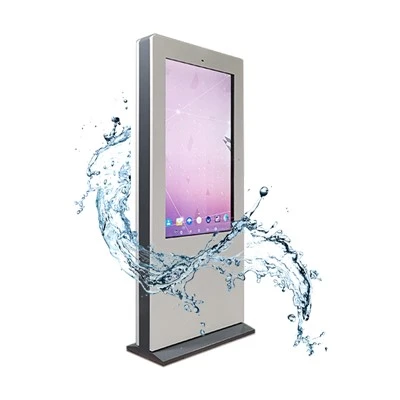


In the present digital era, large interactive screens have become the forefront technology, revolutionizing the way we interact with information across various industries. As a leading supplier of large interactive screens, I've witnessed firsthand the transformative potential of these devices. One of the most crucial factors for large interactive screens is software compatibility. The right software can unlock the full potential of these screens, enabling seamless and engaging user experiences. In this blog, we'll explore the types of software that are compatible with large interactive screens and how they can enhance the performance and functionality of your displays.


Operating Systems
The first and most fundamental layer of software compatibility is the operating system (OS). The OS serves as the foundation upon which all other software applications run. For large interactive screens, several operating systems are commonly used, each with its own set of features and compatibility considerations.
Windows
Windows is one of the most widely used operating systems for large interactive screens, especially in commercial and educational settings. It offers a familiar user interface and broad software compatibility, making it easy to integrate with existing systems and applications. Many interactive whiteboard software solutions and educational tools are specifically designed for Windows, providing a rich ecosystem of resources for users. Additionally, Windows supports multi-touch technology, allowing users to interact with the screen using gestures such as tapping, swiping, and pinching.
Android
Android is another popular choice for large interactive screens, particularly in consumer and mobile applications. It is an open-source platform that offers a high degree of flexibility and customization, making it suitable for a wide range of use cases. Android devices are known for their affordability, energy efficiency, and extensive app library, which includes many interactive and educational apps. Android also supports multi-touch input and can be easily integrated with other Android devices, such as smartphones and tablets, for seamless sharing and collaboration.
macOS
macOS is the operating system developed by Apple and is commonly used in creative and educational environments. It offers a sleek and intuitive user interface, as well as a robust ecosystem of software applications, particularly in the fields of graphic design, video editing, and multimedia production. While macOS may not be as widely used as Windows or Android for large interactive screens, it can still be a viable option for users who require a high level of performance and compatibility with Apple devices.
Interactive Whiteboard Software
Interactive whiteboard software is a key component of large interactive screen systems, especially in educational and corporate settings. This software allows users to write, draw, annotate, and manipulate digital content directly on the screen, mimicking the functionality of a traditional whiteboard. Some popular interactive whiteboard software solutions include:
- Notability: Notability is a versatile note-taking and annotation app that supports multi-touch input and handwriting recognition. It allows users to create and organize digital notebooks, add audio and video recordings, and share their work with others.
- OneNote: OneNote is a free note-taking app developed by Microsoft that is integrated with the Windows operating system. It offers a range of features for creating, editing, and sharing notes, including support for drawing, ink annotations, and multimedia content.
- Explain Everything: Explain Everything is a dynamic interactive whiteboard app that allows users to create and present engaging multimedia presentations. It supports multi-touch input, collaboration, and real-time sharing, making it ideal for educational and business presentations.
Digital Signage Software
Digital signage software is used to manage and display content on large interactive screens in public spaces, such as retail stores, airports, and museums. This software allows users to create, schedule, and distribute digital signage campaigns, including images, videos, and live feeds. Some popular digital signage software solutions include:
- BrightSign: BrightSign is a leading provider of digital signage players and software. It offers a range of features for managing and distributing content, including support for multiple display formats, scheduling, and remote management.
- Xibo: Xibo is an open-source digital signage software platform that is easy to use and highly customizable. It supports a wide range of media formats and allows users to create and manage content using a web-based interface.
- ScreenCloud: ScreenCloud is a cloud-based digital signage software solution that is designed for small and medium-sized businesses. It offers a simple and intuitive interface, as well as a range of features for managing and displaying content, including support for social media feeds, weather updates, and live news.
Educational Software
Large interactive screens are widely used in educational settings to enhance the learning experience and engage students. There are many educational software solutions available that are compatible with large interactive screens, including:
- Kahoot!: Kahoot! is a popular gamification platform that allows teachers to create and host interactive quizzes and games in the classroom. It supports multi-touch input and can be played on a variety of devices, including large interactive screens.
- Nearpod: Nearpod is an interactive presentation platform that allows teachers to create and deliver engaging lessons using a variety of media, including videos, images, and interactive activities. It supports multi-touch input and can be used on large interactive screens, as well as on students' tablets and smartphones.
- Edmodo: Edmodo is a social learning platform that allows teachers to connect with students, share resources, and assign homework. It supports multi-touch input and can be used on large interactive screens, as well as on students' tablets and smartphones.
Gaming Software
Large interactive screens can also be used for gaming, providing a more immersive and engaging gaming experience. There are many gaming software solutions available that are compatible with large interactive screens, including:
- Unity: Unity is a popular game development platform that allows developers to create games for a variety of platforms, including large interactive screens. It supports multi-touch input and offers a range of features for creating realistic and interactive games, such as physics engines, 3D modeling tools, and audio support.
- Unreal Engine: Unreal Engine is another popular game development platform that is known for its high-quality graphics and performance. It supports multi-touch input and offers a range of features for creating immersive and interactive games, such as real-time rendering, virtual reality support, and artificial intelligence.
- Steam: Steam is a digital distribution platform that offers a wide range of games for PC, Mac, and Linux. It supports multi-touch input and allows users to play games on large interactive screens using a Steam Link or other compatible devices.
Considerations for Software Compatibility
When choosing software for your large interactive screen, there are several factors to consider to ensure compatibility and optimal performance. These include:
- Hardware Requirements: Different software applications have different hardware requirements, such as processor speed, memory, and graphics capabilities. Make sure your large interactive screen meets the minimum hardware requirements for the software you want to use.
- Screen Resolution: The screen resolution of your large interactive screen can affect the clarity and readability of the software interface and content. Make sure the software you choose supports the screen resolution of your large interactive screen.
- Operating System Compatibility: As mentioned earlier, different operating systems have different software compatibility. Make sure the software you choose is compatible with the operating system installed on your large interactive screen.
- Multi-Touch Support: If you want to take advantage of the multi-touch capabilities of your large interactive screen, make sure the software you choose supports multi-touch input.
- Integration with Existing Systems: If you already have existing systems and applications in place, make sure the software you choose can be easily integrated with them. This can help streamline your workflows and improve efficiency.
Conclusion
As a large interactive screen supplier, I understand the importance of software compatibility in unlocking the full potential of these devices. By choosing the right software, you can enhance the performance and functionality of your large interactive screen, providing a more seamless and engaging user experience. Whether you're using your large interactive screen for educational, commercial, or entertainment purposes, there are many software solutions available that can meet your needs.
If you're interested in learning more about how our large interactive screens can be integrated with the latest software solutions, or if you have any questions about software compatibility, please don't hesitate to initiate a discussion with us. We're here to help you find the perfect solution for your specific requirements.
References
- Microsoft. (2024). Windows 11 specifications. Retrieved from https://www.microsoft.com/en-us/windows/windows-11-specifications
- Google. (2024). Android 14 features. Retrieved from https://developer.android.com/about/versions/14/features
- Apple. (2024). macOS Ventura features. Retrieved from https://www.apple.com/macos/ventura/features/
- Kahoot!. (2024). How Kahoot! works. Retrieved from https://kahoot.com/how-it-works/
- Nearpod. (2024). Nearpod features. Retrieved from https://nearpod.com/features/
- Edmodo. (2024). Edmodo features. Retrieved from https://www.edmodo.com/features/
- Unity. (2024). Unity features. Retrieved from https://unity.com/features
- Unreal Engine. (2024). Unreal Engine features. Retrieved from https://www.unrealengine.com/en-US/features
- Steam. (2024). Steam features. Retrieved from https://store.steampowered.com/features